
Blog

7 Tips for Choosing an Open Display Fridge?

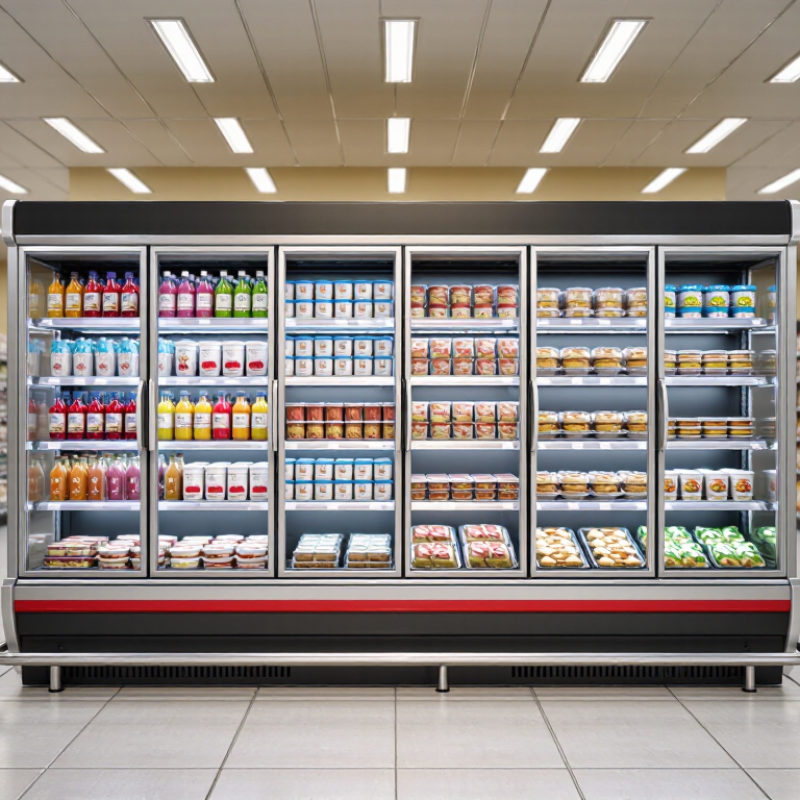
An Open Display Fridge puts chilled food within easy view and reach. The right choice is not always the widest or brightest model. Its performance depends on your product mix, store layout, room conditions, and restocking routine. A narrow aisle can make an attractive cabinet feel awkward. Small details matter.

Before comparing models, estimate daily sales, shelf capacity, and available floor space. Check product dimensions, not just cabinet dimensions; trays and packaging need room to face forward. Note the expected room temperature, then ask suppliers for operating specifications under similar conditions. Review energy use, lighting, noise, cleaning needs, and access for repairs. A display can sell well and still increase operating costs. That trade-off deserves attention.

This guide outlines seven practical checks: capacity, visibility, temperature control, energy use, placement, maintenance, and supplier support. When possible, compare shortlisted models with a similar product load, and request a demonstration. Ask who handles routine servicing and how quickly replacement parts are available. A brochure cannot answer everything. These checks are a starting point, not a guarantee. Store conditions vary, and estimates can miss peak-season demand. That is worth admitting. Measure carefully, ask direct questions, and choose a cabinet that fits both your products and your daily workflow.
7 Tips for Choosing an Open Display Fridge?

How to Identify Your Open Display Fridge Requirements

Before comparing open display fridges, define what the unit must hold and where it will stand. Measure the available floor space, doorway width, and nearby shelving. Leave room for customers to pass without blocking the aisle. A few centimeters can matter.

List the products, package sizes, and expected stock levels. Bottled drinks need different shelf spacing from ready-to-eat meals. Estimate busy-period demand, then check whether the cabinet can display enough stock without crowding airflow. Note the required holding temperature and confirm it against product guidance and the unit’s specifications. A thermometer check helps. Also consider the shop’s usual room temperature, direct sunlight, and nearby ovens, which may affect cooling performance.

Think about how staff will use and maintain the fridge each day. Sliding shelves, clear price labels, and easy-to-reach products can reduce restocking time. Ask where condensate goes and how often filters or other accessible parts need cleaning. Check noise levels if the unit will sit near a service counter. Compare stated energy use, but remember that real consumption depends on settings, room conditions, and door or curtain design. I once underestimated aisle clearance; the unit fit, but shopping felt awkward. Recheck your measurements with the space in use, not just on paper.


7 Tips for Choosing an Open Display Fridge: Identify Your Requirements

Compare the key requirements before selecting an open display fridge. The ratings below are illustrative planning scores on a 1–5 scale, not survey results.

Start with the needs that matter most to your store, such as temperature control, available floor space, and energy use. Confirm required capacity, product visibility, and cleaning access against your site conditions and local food-safety requirements.

How to Choose the Right Size and Shelf Layout

Choosing the right open display fridge starts with the space around it, not just its advertised capacity. Measure the floor area, doorway, and route from delivery entrance to final position. Measure twice. Include room for staff to restock and customers to browse without blocking the aisle. Check the unit’s installation guidance for required wall and ventilation clearances; a tight fit can affect airflow.

Next, estimate what you will display during a busy period. Count trays, bottles, or packaged items, then compare that amount with usable shelf width and depth. A tall cabinet may look spacious but still offer awkward shelf spacing. Adjustable shelves help accommodate changing products, though moving them too often can disrupt a neat layout. Leave room to breathe. Avoid stacking products where they hide labels or restrict airflow.

Arrange shelves around how people shop. Place popular items near eye level, heavier products lower, and similar items together for quick restocking. Consider the height of the people using the display, including staff reaching in from the customer side. One planning mistake is measuring only the cabinet; the surrounding traffic pattern matters too. Sketch the layout with shelf heights and aisle width marked, then review it during a realistic restocking routine. Small compromises may remain, but spotting them on paper is easier than after installation.

How to Compare Cooling Performance and Temperature Control

Tip 1: Compare cooling performance under realistic store conditions, not just an empty-case specification. Load the shelves, record room temperature, and check products at the front, center, and rear. The FDA Food Code 2022 uses 41°F (5°C) or below as the cold-holding benchmark. A cold air reading alone does not prove that food is staying cold. Test it loaded.

Tip 2: Check temperature stability during busy periods. Log readings at short intervals while staff restock the case and shoppers reach inside. USDA’s Food Safety and Inspection Service identifies 40°F to 140°F as the food “danger zone,” where harmful bacteria can grow. Look for warm spots near the opening and uneven readings across shelves. Small gaps matter.

Tip 3: Compare recovery time after restocking, plus the accuracy and placement of built-in sensors. Ask suppliers for test results showing ambient conditions, product load, and measurement locations; figures without test conditions are hard to compare. Verify readings with a calibrated probe thermometer, and confirm local cold-holding requirements. I still find sensor placement easy to overlook. A sensor near a cold air outlet may not reflect the temperature of products at the front edge.

How to Evaluate Energy Efficiency and Operating Costs

7 Tips for Choosing an Open Display Fridge?

How to Evaluate Energy Efficiency and Operating Costs

An open display fridge can look efficient while quietly wasting power. Compare tested energy use in kilowatt-hours per day, not just the cabinet’s size or cooling capacity. Ask for results under stated test conditions, then check whether your shop’s room temperature, product load, and opening hours are similar. Small differences add up. Estimate annual electricity cost by multiplying daily kWh by 365 and your local electricity rate. Include fans, lighting, and defrost cycles when reviewing specifications.

Tip: Record the meter reading for a full week. Note trading hours and outside temperatures. Compare readings before and after stocking changes or airflow adjustments. Keep the figures. A neat spreadsheet still misses how staff actually use the case, so review the results on site.

For wider context, the U.S. Department of Energy’s 2014 commercial refrigeration equipment rulemaking projected about 4.4 quadrillion Btu in energy savings over 30 years from national efficiency standards. This is a sector-wide estimate, not a promise for one fridge. Ask suppliers for model-specific test data and service-cost details. Check doorless-case airflow: blocked vents, bright lighting, or warm nearby equipment can increase demand. That part is easy to overlook. Compare annual energy and maintenance costs, not purchase price alone.

How to Assess Cleaning, Maintenance, and Service Support

Open display fridges collect dust and spills in places customers rarely notice. Check whether shelves, air grilles, and price-tag rails can be removed without tools. Ask where condensate drains and whether staff can reach the drain safely. Small details matter. A narrow gap behind a grille can trap crumbs and slow airflow. Look for smooth interior surfaces and clear access to fans, not just an attractive exterior.

Ask what routine cleaning involves and how often filters or other serviceable parts need attention. The answer should be specific enough to turn into a staff checklist. For example, daily wipe-downs may differ from weekly grille cleaning. Confirm that cleaning instructions identify suitable materials and warn against spraying electrical components. A fridge that is easy to clean on paper may feel awkward in a crowded aisle, so test access in the actual space.

Maintenance support matters when a cabinet stops holding temperature during a busy shift. Ask how service requests are handled, what response times are typical, and whether common replacement parts are available locally. Request the maintenance schedule and service terms in writing. During a site visit, note who can diagnose faults and what information they need from your team. No checklist catches everything. Leave room for practical feedback after staff use the unit; the first week may reveal an awkward panel or a cleaning step that takes longer than expected.

Go to Top