What Is a Home Audio Intercom System?
A Home Audio Intercom System connects rooms through microphones, speakers, and controls, letting household members talk without calling across the house. Depending on the design, it may also link to door stations, phones, or smart-home equipment. A kitchen panel can announce dinner; a bedroom station can answer a visitor at the entrance. Simple, when it works.
Demand for connected living is growing, though intercoms are only one part of that shift. The Consumer Technology Association’s 2024 U.S. Consumer Technology Industry Forecast projected $512 billion in retail revenue for the broader U.S. consumer technology sector. That figure is not an intercom sales estimate. It does, however, show why buyers increasingly expect everyday home devices to work together. For installation and product guidance, CEDIA’s smart-home and technology professionals offer a useful industry reference.
Design matters as much as the feature list. Steve Jobs, a technology-industry leader, said, “Design is not just what it looks like and feels like. Design is how it works.” Applied here, that means clear speech, reachable controls, and reliable connections matter more than a glossy panel alone. A system should suit the actual floor plan, too. Thick walls and noisy rooms can change what sounds clear. One detail is easy to miss: residents may stop using a system if answering feels slower than walking to another room. This guide explains how a Home Audio Intercom System works, which features deserve attention, and what to consider before installation. The right choice is not always the most advanced one. Sometimes, simpler is better.
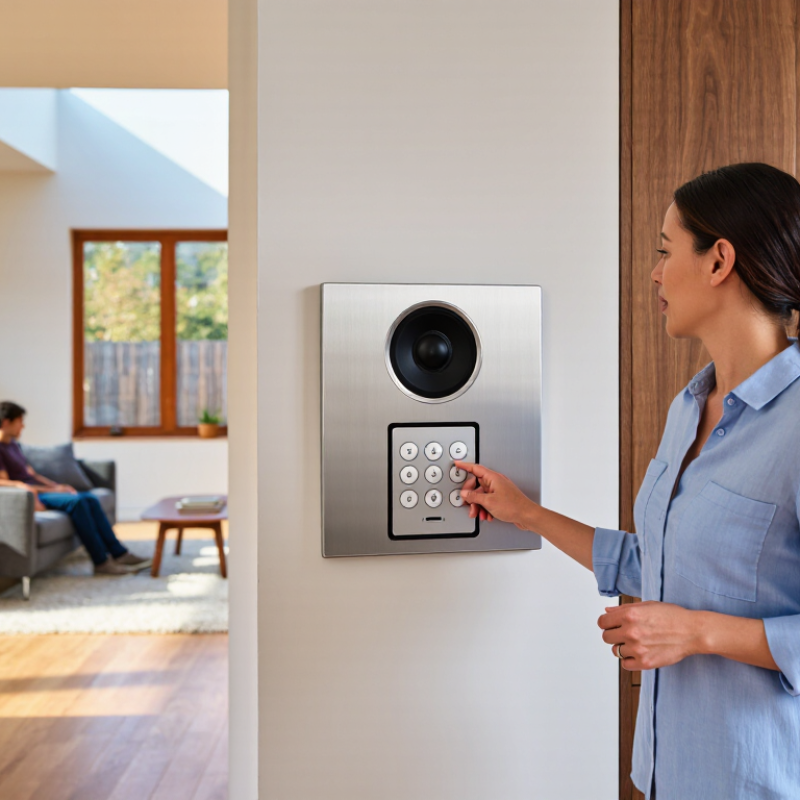
Definition and Purpose of a Home Audio Intercom System
A home audio intercom system is a set of connected speakers and microphones that lets people speak between rooms or zones. It may include a central control panel, wall-mounted stations, or a call button near an entrance. A person presses a button and speaks; another person answers through a nearby speaker. Simple, but useful.
Its purpose is to make everyday communication easier without relying on a phone. Someone in the kitchen can call a child upstairs, or a person near the entry can ask who is there. Some systems support room-to-room calls, group announcements, or communication with an outdoor station. Features vary, so check which functions are actually included.
An intercom works best when stations are placed where people can hear them clearly, such as a hallway or kitchen wall. Thick doors, background noise, and poor placement can make speech difficult to understand. Not always. It also offers less privacy than a personal call, since voices may carry into nearby rooms. Think about who needs access and when announcements are appropriate. For urgent situations, it should not replace a phone or other dependable way to contact help.
What Is a Home Audio Intercom System? — Definition and Purpose
| Dimension | Description | Purpose or Example |
| Definition | A home audio intercom system is a set of connected audio stations that lets people communicate by voice between rooms or areas of a residence. | A person in the kitchen can speak to someone in an upstairs bedroom without calling a phone. |
| Main purpose | To make short, convenient voice communication possible within the home. | Calling family members to dinner or asking someone in another room for assistance. |
| Typical components | Depending on the design, the system may include room stations, microphones, speakers, a control unit, wiring, or a wireless network connection. | A wall-mounted station may combine a speaker, microphone, and call controls. |
| How communication works | Stations send and receive audio over a wired connection or, in some systems, through wireless communication. | A user selects another station or speaks through a hands-free call feature, if supported. |
| Common functions | Features vary by system and can include room-to-room calls, broadcast announcements, or door-station audio. | A broadcast feature can deliver the same spoken message to several stations at once. |
| Typical locations | Stations are commonly placed in frequently used areas, with placement depending on the home's layout and the system design. | Possible locations include kitchens, living areas, bedrooms, and entryways. |
| Wired and wireless options | Wired systems use physical cabling; wireless systems communicate over radio or a home network. Installation and performance depend on the specific system and building conditions. | Wireless installation may reduce the need to run new cables, while a wired setup can require planned cable routes. |
| What it is not | An audio intercom is not necessarily a telephone, a whole-home music system, or a security system, although some products may combine functions. | Check the system's specifications to confirm whether it supports music playback, video, or entry monitoring. |
| Key considerations | Coverage, sound clarity, station placement, installation requirements, power needs, and compatibility with existing equipment can affect suitability. | Consider which rooms need communication and whether wiring or wireless coverage is practical in those areas. |
Main Components and Their Functions
A home audio intercom links indoor stations with a door unit, letting people speak between rooms or answer visitors without opening the door. The main components are simple, but their placement matters. A master station routes calls and controls settings. Room stations provide call buttons, microphones, and speakers. A door station usually combines a weather-resistant microphone, speaker, and call button near the entrance.
Wiring or a home network carries voice between stations. Wired systems can offer predictable connections, while networked models may support extra rooms or mobile access. Power supplies keep the stations operating; backup power can help during brief outages. Clear sound also depends on speaker placement and microphone sensitivity. A unit beside a loud kitchen appliance may be hard to hear. Small detail. Controls should be easy to reach, especially for children or older residents.
MarketsandMarkets estimated the global smart-home market at $101.7 billion in 2023 and projected $163.7 billion by 2028. That broad market estimate signals growing interest in connected home equipment, not proof that any intercom performs well.
Buyers should check wiring requirements, compatibility, and sound quality in their own rooms. One planning detail is easy to miss: a convenient station can still create a privacy concern if it broadcasts into shared spaces. Testing call volume and room coverage before installation can prevent avoidable frustration.
Installation Options and Practical Considerations
A home audio intercom can use wired stations, wireless units, or a mix of both. Wired systems suit new builds or major renovations, when cables can run behind open walls. They usually provide steady communication without relying on household Wi-Fi. Wireless units are easier to add to finished rooms, though thick walls and distance can weaken signals. A hybrid setup may work well, but it can be harder to configure. Keep it simple.
Before choosing equipment, mark likely station locations on a floor plan. Consider where people actually talk: near the kitchen entrance, beside a bedroom, or at the front door. Check for nearby power outlets and test wireless coverage from each spot. A signal that works in the hallway may falter behind a concrete wall. Small detail, big difference. Also consider sound bleed. A station beside a television may need a lower volume setting.
For a renovation, discuss cable routes and power requirements with a qualified installer before walls are closed. Follow the equipment instructions, and have mains connections handled safely. During setup, test every station at normal speaking volume, with doors open and closed. Ask another person to speak from a distant room; the test can reveal echo or weak pickup. It is easy to overlook privacy, too, so check how microphones activate and whether stations can be muted. A tidy installation is not always the most practical one.
Home Audio Intercom Installation: Ethernet Cable Distance
For a wired IP intercom, the Ethernet cable category and network speed affect the practical cable run. A standard twisted-pair Ethernet channel is limited to 100 meters; 10 Gb/s over Cat6 is generally limited to about 55 meters, while Cat6A supports 10 Gb/s up to 100 meters under compliant installation conditions. These are Ethernet channel limits—not a guarantee of intercom performance. Wireless systems avoid signal cabling, but still need power and dependable network coverage.