What Is a POS Machine Battery and How Long Does It Last?
A Pos Machine Battery powers the quietest part of every payment transaction. It supports card readers, receipt printers, scanners, and wireless connections. When it weakens, checkout slows first. Then, unexpectedly, the terminal may shut down during a busy queue.
Battery performance depends on chemistry, screen brightness, network activity, charging habits, and operating temperature. Many portable POS terminals use lithium-ion batteries. Their practical runtime often ranges from eight to twelve hours, although manufacturer specifications differ. Mordor Intelligence’s 2024 POS Terminal Market report highlights the continuing expansion of mobile and wireless payment hardware. The Nilson Report also documents sustained growth in card acceptance worldwide. These trends make dependable battery maintenance more important, not less.
Isidor Buchmann, founder of Cadex Electronics and Battery University, states, “Battery life is measured by either cycle life or calendar life.” That distinction matters. A terminal used every day may lose capacity through repeated charging cycles. Another device may age mainly because it sits in a hot storeroom. Temperature leaves fingerprints.
A good Pos Machine Battery can remain useful for several years, but no single lifespan fits every business. Actual results can disappoint. Charging to full capacity constantly may not be ideal, yet avoiding full charges is not always practical during long shifts. This guide examines battery types, expected runtime, warning signs, replacement timing, and safer charging practices. It also separates manufacturer claims from the less tidy reality behind a busy checkout counter.
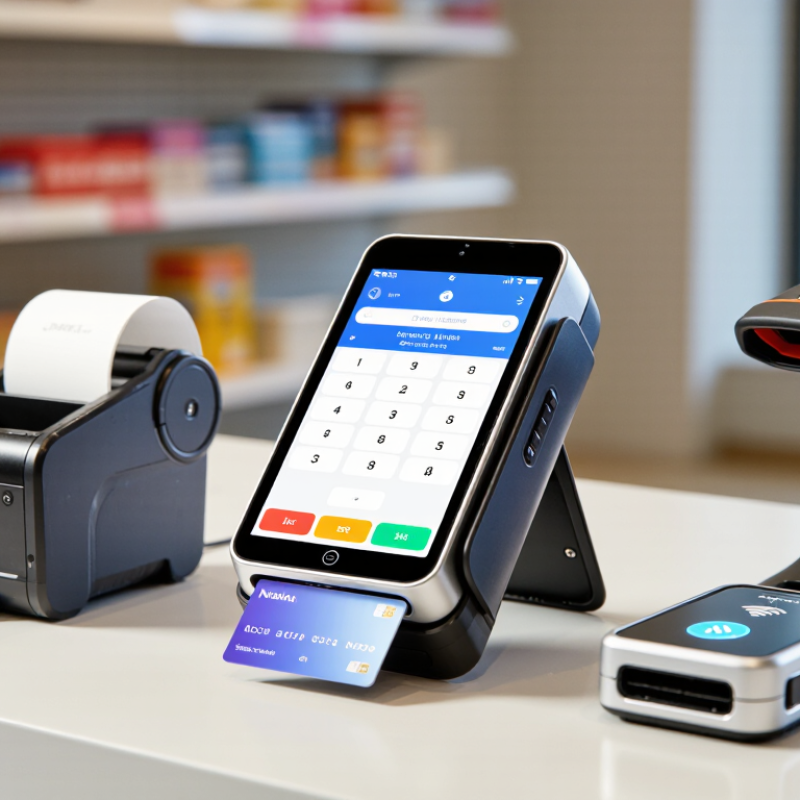
What Is a POS Machine Battery?
A POS machine battery is the rechargeable power source inside a portable payment terminal. It usually uses lithium-ion or lithium-polymer cells, a protection circuit, and a battery connector. Together, these parts power the screen, card reader, receipt printer, wireless connection, and security functions when the terminal is away from its charging base.
The 2024 Global Payments Report states that digital wallets represented about 50% of global e-commerce value and 30% of in-store payment value in 2023. That shift increases the need for dependable mobile terminals. Battery capacity is measured in milliamp-hours, or mAh. A higher number may support longer operation, but radio use, screen brightness, printing, signal strength, and battery age also matter. Numbers alone can mislead.
Real use is less tidy.
A busy terminal may last one working day, while a lightly used unit can operate longer. The 2024 Diary of Consumer Payment Choice shows that consumers still use several payment methods, so merchants often need terminals ready for changing conditions. Charging habits matter too. Repeated deep discharges, heat, and poor-quality chargers can accelerate capacity loss. Industry battery safety guidance, including IEC 62133-2 requirements, emphasizes controlled charging and protection against overheating. In practice, a battery that reaches only 70–80% of its original capacity may still function, but it creates inconvenient downtime. That threshold is not universal. Workload and operating environment deserve closer attention.
How Does a POS Machine Battery Work?
A POS machine battery stores electrical energy for mobile payment terminals. Most modern units use rechargeable lithium-ion cells. When the terminal is switched on, the battery releases direct current to the processor, display, card reader, printer, and wireless connection. These parts do not consume power equally. A bright screen and weak network signal can drain the battery faster.
Inside the device, a battery management system monitors voltage, temperature, and charging speed. It helps prevent overcharging and shuts the terminal down when the voltage becomes unsafe. During charging, the adapter sends controlled current through a charging circuit. The circuit gradually reduces the current as the battery approaches full capacity. This protects the cells, although it cannot stop natural aging. A typical POS battery may last several hours to a full workday, depending on usage, capacity, and condition. Real-world results vary. My earlier estimate might be too optimistic for busy checkout periods.
Tips: Charge the terminal before peak hours. Keep the charging port clean and dry. Avoid leaving the device in direct sunlight or a freezing vehicle. Use the approved charger and cable. Replacing a worn battery requires trained service, because damaged cells can overheat. Check battery performance monthly. If the device drops from 40% to 10% quickly, its battery may need inspection. Temperature matters more than many users expect.
What Is a POS Machine Battery and How Long Does It Last?
How Does a POS Machine Battery Work?
Most portable POS machines use rechargeable lithium-ion batteries. During use, lithium ions move from the negative electrode to the positive electrode inside the cell, while electrons flow through the device's external circuit to provide power. Charging reverses this process. The chart shows estimated operating time for different battery capacities at a constant 5 W load, using a nominal cell voltage of 3.7 V and 90% usable energy after conversion losses. Actual battery life varies with screen brightness, wireless connectivity, printer usage, payment processing, temperature, and battery age.
What Factors Affect POS Battery Life?
What Is a POS Machine Battery and How Long Does It Last?
A POS machine battery powers payment processing when no outlet is nearby. Most portable terminals use rechargeable lithium-ion batteries. Their runtime often ranges from several hours to a full workday. The exact figure depends on the device, workload, and battery condition.
Screen brightness has a noticeable effect. A bright display used continuously drains power faster. Weak Wi-Fi or cellular signals also increase energy use because the terminal works harder to stay connected. Frequent transactions, receipt printing, barcode scanning, and contactless payments add further demand. Background software can matter too. An idle terminal may still consume power through network checks and system updates.
Temperature is easy to overlook. Very cold or hot conditions can reduce temporary capacity and slow charging. Battery age is another major factor. After repeated charging cycles, the battery stores less energy than it did when new. Charging habits may influence wear, although modern systems reduce many common charging risks. Avoiding extreme heat is still sensible.
Keep it cool.
In daily use, a terminal showing 20% battery may not deliver the same runtime every day. Signal strength and transaction volume change constantly. I have seen runtime estimates feel optimistic during busy shifts. A simple maintenance record helps: note the starting charge, transaction count, and closing percentage. If capacity drops sharply, inspect the charger, cable, software, and battery before replacing anything. A professional service check is safer than opening the terminal without proper guidance.
How Long Does a POS Machine Battery Last?
What Is a POS Machine Battery and How Long Does It Last?
A POS machine battery powers wireless payments, receipt printing, screen activity, and network communication. Most rechargeable batteries provide about 8 to 16 hours of use per charge. Light transaction traffic may extend that time. Busy counters can reduce it sharply. A battery usually lasts two to five years before its capacity noticeably declines. That estimate is not a promise. I have seen similar devices perform differently in the same store.
Several details affect daily battery life. Bright screens, unstable mobile signals, Bluetooth accessories, and frequent receipt printing consume more energy. Cold storage rooms can also shorten runtime temporarily. A practical test involves charging the device fully, recording transaction volume, and checking the remaining percentage after one shift. Repeat the test during a busy period. One quiet afternoon can create a false impression.
Keep the charging port clean and use the recommended charger. Avoid leaving the terminal in direct sunlight or extreme heat. Heat ages battery cells faster. Do not wait for a complete shutdown every day. Partial charging is usually less stressful for modern rechargeable cells. I once blamed an old battery for rapid power loss, but a damaged charging cable caused the problem. That mistake matters. If runtime falls below half a normal shift, the battery may need professional inspection or replacement. Check actual usage records, not guesswork.
How Can You Extend POS Battery Performance?
A POS machine battery is usually a rechargeable lithium-ion pack. Its useful runtime depends on screen brightness, wireless activity, receipt printing, payment frequency, and battery age. Many modern terminals support one business shift, often around 8–12 hours, but real conditions can reduce that figure. A busy checkout is not a laboratory.
Battery care begins with temperature control. The U.S. Department of Energy identifies heat, charging behavior, and repeated cycling as major factors in lithium-ion aging. Keep the terminal away from direct sunlight, hot vehicles, and enclosed counter drawers. Charging in a cool, ventilated area helps. Avoid covering the charging port during long sessions.
I used to treat 100% charging as harmless. That assumption was too simple. For daily operations, charging before opening and avoiding frequent full discharges is usually gentler. A 20–80% routine may reduce stress, although it can be inconvenient during peak sales. Use the approved charger and inspect cables regularly. Poor connections create heat and unstable charging.
Clean the screen and payment area carefully, because dirt can increase repeated transaction attempts. Disable unused wireless functions when they are unnecessary. Lowering screen brightness also saves energy. The International Electrotechnical Commission’s battery safety guidance emphasizes controlled charging, thermal protection, and suitable power equipment. Keep spare units charged, but do not store them permanently at full capacity. Battery aging is gradual, and usage records reveal more than guesswork.